
Descripción
Permitir que sus visitantes se suscriban a su boletín debería ser fácil. Con este plugin, finalmente lo es.
This plugins helps you grow your email list in Mailchimp. You can use it to create good looking and accessible sign-up forms or integrate with any other existing form on your WordPress site, like your contact, comment or checkout form.
Algunas (pero no todos) las características
-
Connect with your Mailchimp account in seconds.
-
Sign-up forms which are good looking, user-friendly and mobile optimized. You have complete control over the form fields and can build your forms using native HTML.
-
Integración transparente con los siguientes complementos:
- Formulario de comentarios por defecto en WordPress
- Formulario de registro por defecto en WordPress
- Contact Form 7
- WooCommerce
- Gravity Forms
- Ninja Forms 3
- WPForms
- BuddyPress
- MemberPress
- Events Manager
- Easy Digital Downloads
- Give
- UltimateMember
- HTML Forms
- AffiliateWP
-
Is the plugin you want to integrate with not listed above? You can probably still use our custom integration feature. Alternatively, the plugin comes with a PHP API to programmatically add a new subscriber to Mailchimp.
-
Send your WooCommerce orders to Mailchimp so you can see exactly what each subscriber purchased and how much revenue your email campaigns are generating.
-
Una multitud de complementos e integraciones de complementos disponibles:
-
Well documented through our knowledge base.
-
Developer friendly. For some inspiration, check out our repository of example code snippets.
-
Ready for PHP 8.3, but backwards-compatible all the way down to PHP 5.6.
¿Qué es MailChimp?
Mailchimp is a newsletter service that allows you to send out email campaigns to a list of email subscribers. It is free for lists with up to 500 email subscribers, which is why it is the newsletter-service of choice for thousands of small businesses across the globe.
If you are not yet using Mailchimp, creating an account is 100% free and only takes you about 30 seconds.
Support
If you need some help in setting up the plugin, you have various options:
- Search through our knowledge base.
- Open a topic in the WordPress.org plugin support forums
- If you’re a premium user, send an email to the email address listed inside the plugin.
Traducciones
You can help translate this plugin into your language using your WordPress.org account.
Desarrollo
Este complemento se está desarrollando en GitHub. Si desea colaborar, consulte ibericode / mailchimp-for-wordpress.
Personalizar el complemento
The plugin provides various filter and action hooks that allow you to modify or extend the default behavior. We’re also maintaining a collection of sample code snippets.
Capturas

Example sign-up form in the TwentyTwenty theme. 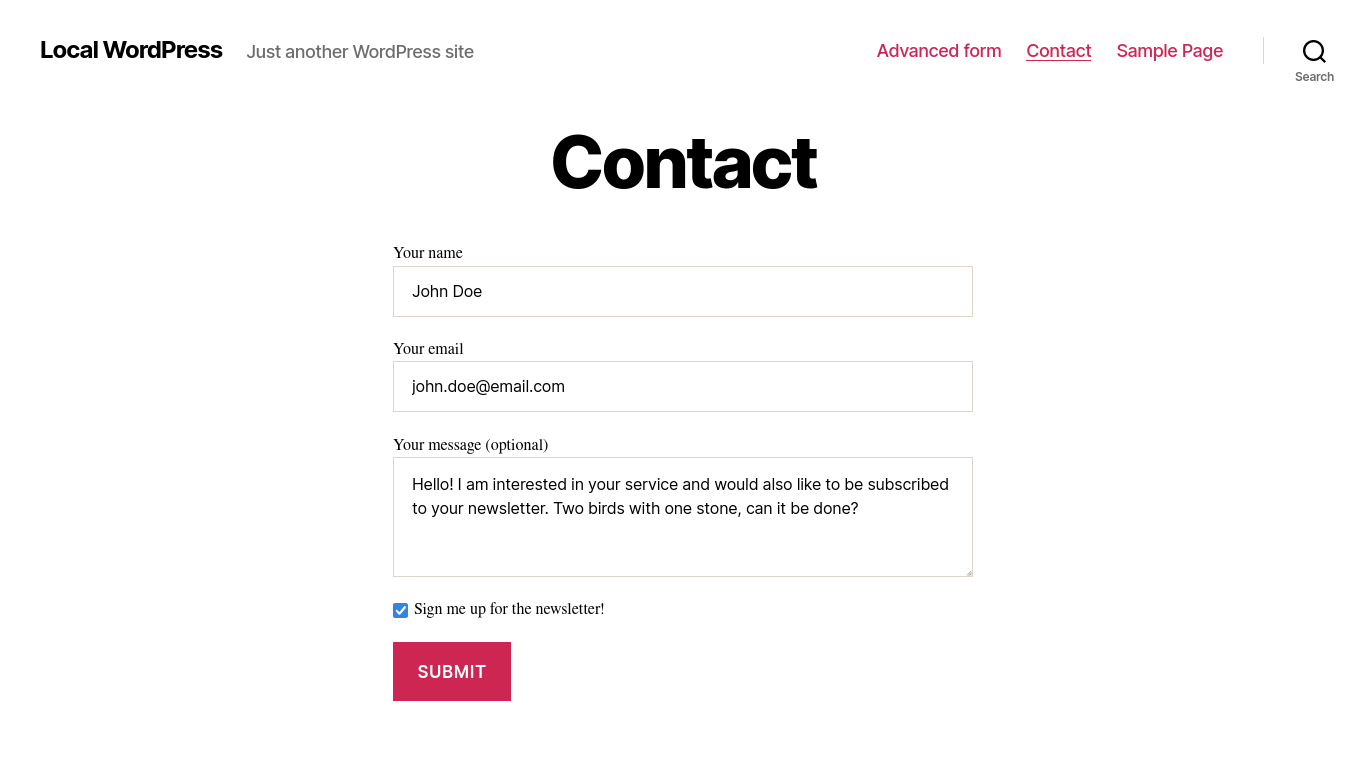
Example sign-up integration with a contact form. 
Settings page to connect with your Mailchimp account. 
Overview of sign-up integrations. 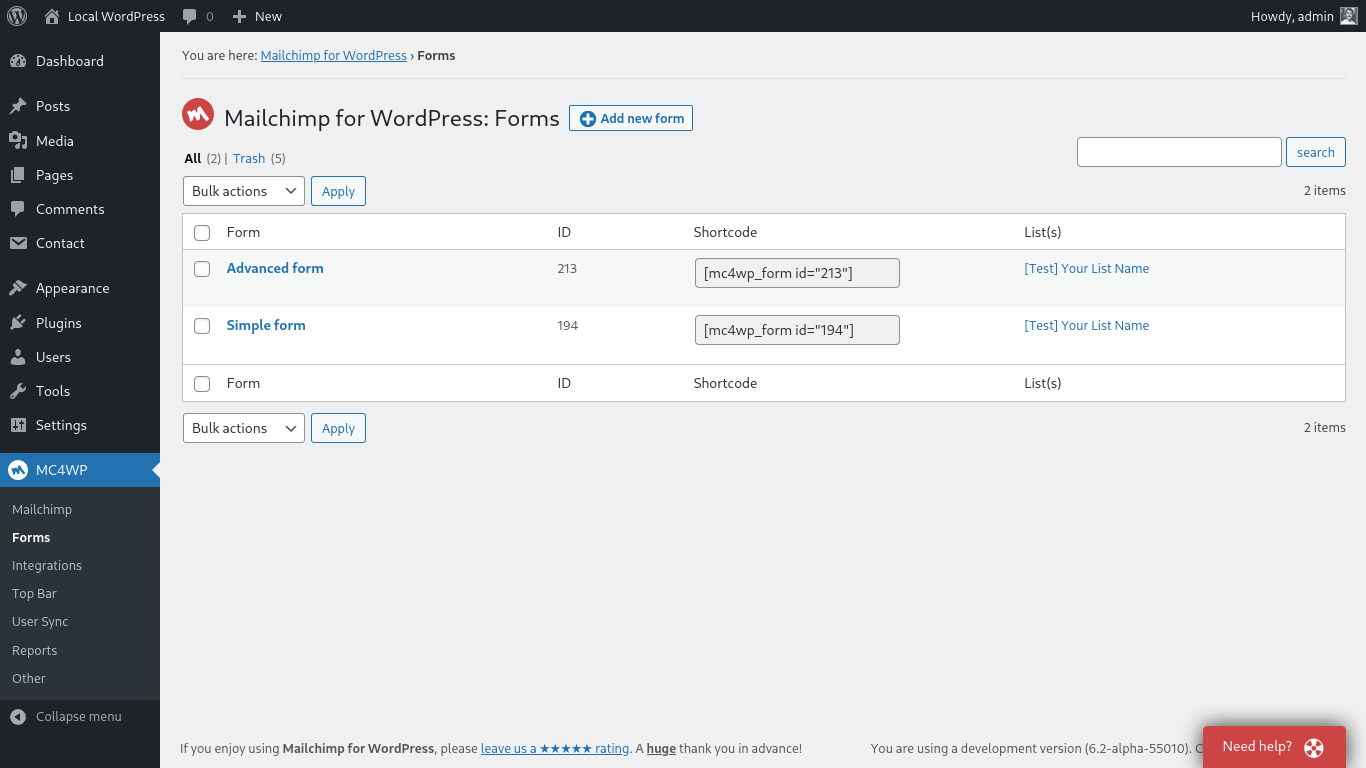
Overview of sign-up forms. 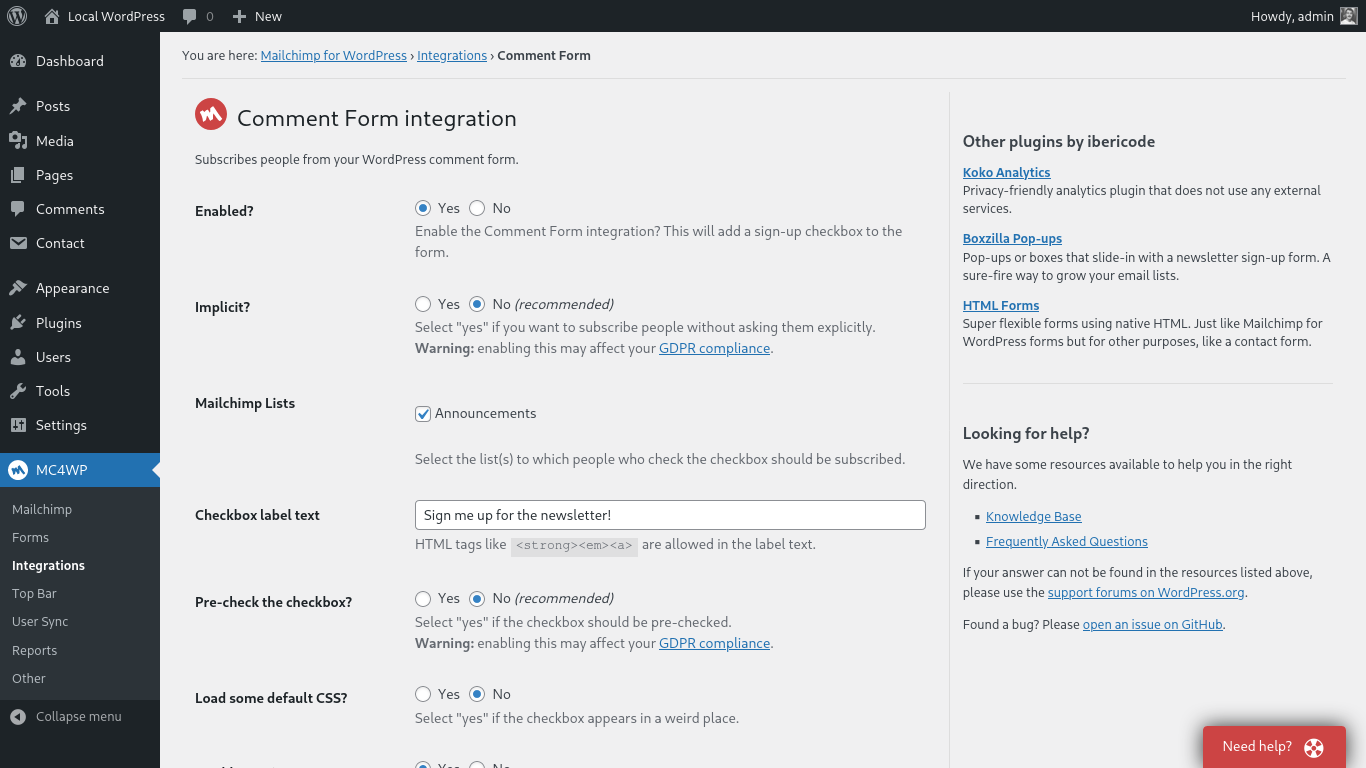
Settings page to configure an integration. 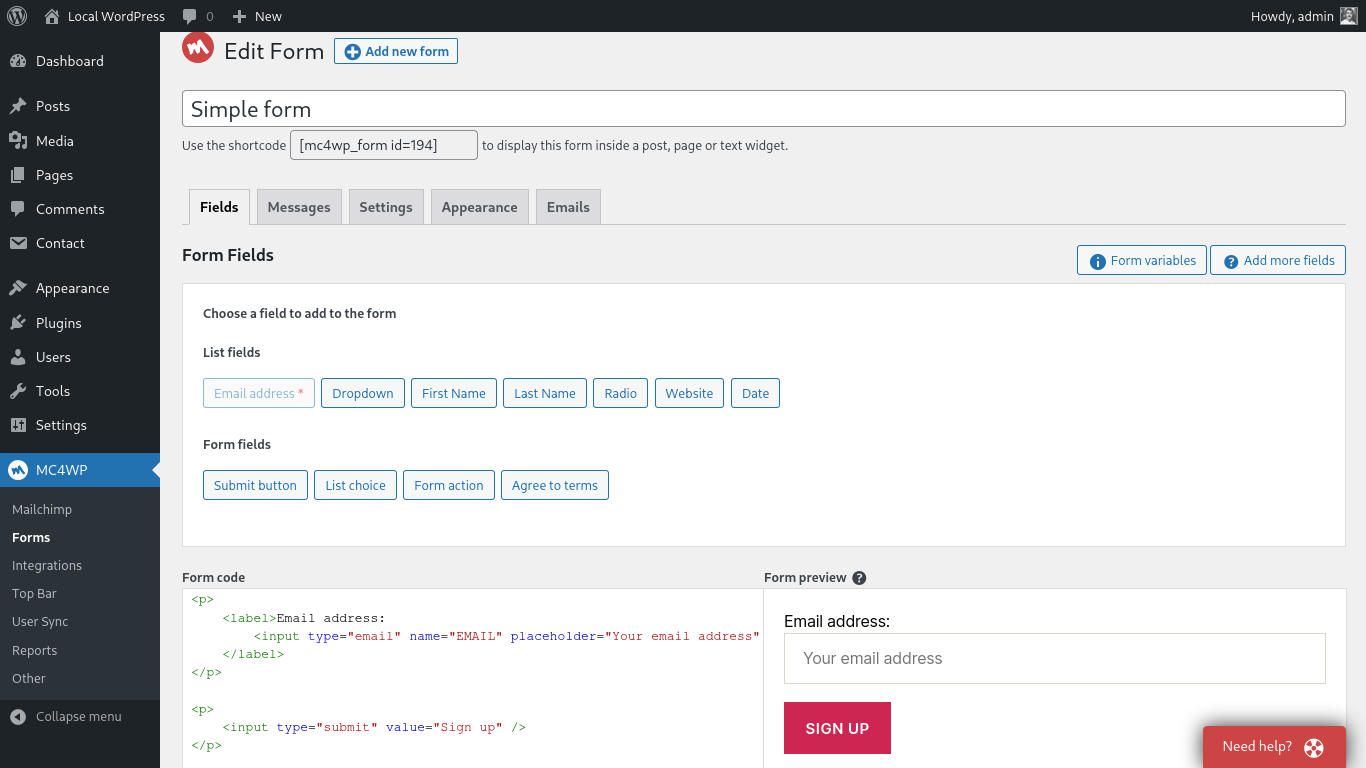
Page where you edit your sign-up forms. 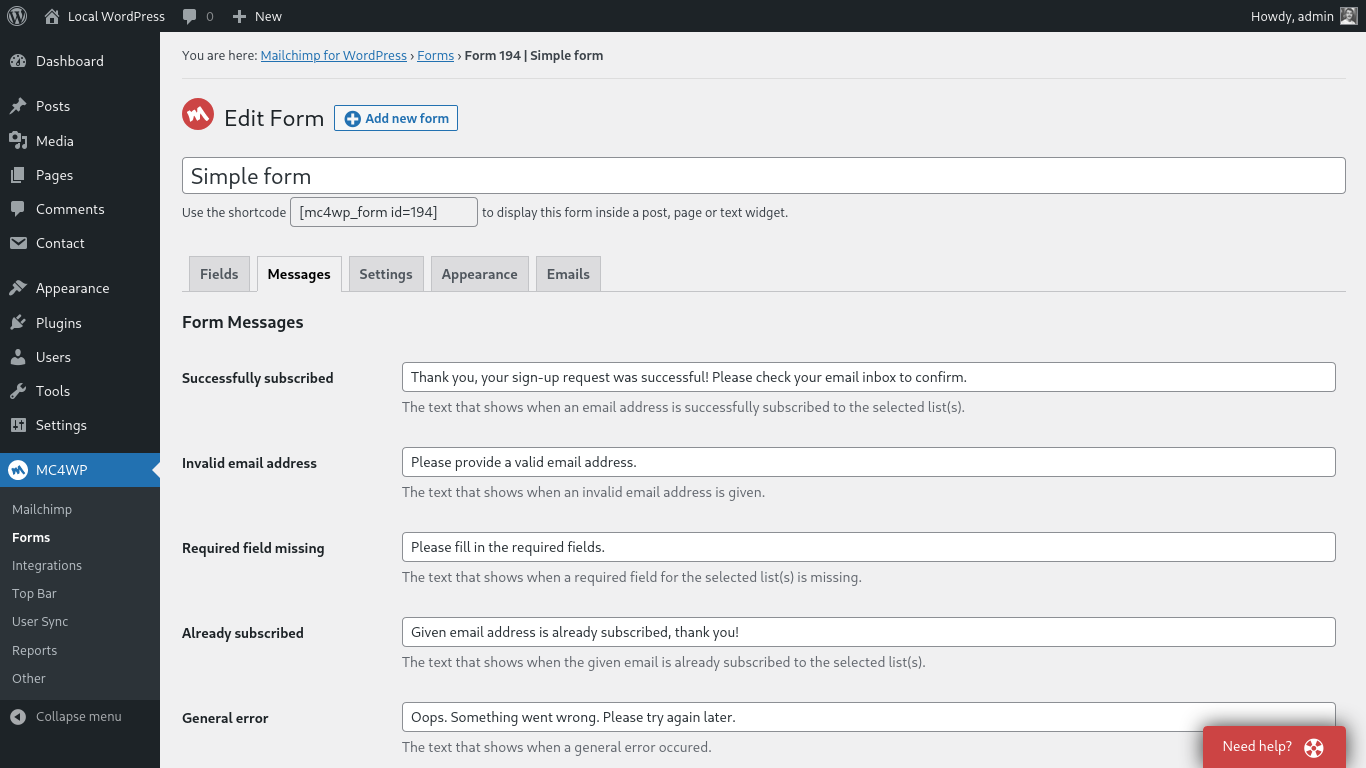
Page where you modify your form messages.
Blocks
This plugin provides 1 block.
- Mailchimp for WordPress Form
Instalación
Installing the plugin
- In your WordPress admin panel, go to Plugins > New Plugin, search for Mailchimp for WordPress and click “Install now“
- Alternatively, download the plugin and upload the contents of
mailchimp-for-wp.zipto your plugins directory, which usually is/wp-content/plugins/. - Activate the plugin
- Set your API key in the plugin settings.
Configuring Sign-Up Form(s)
- Go to Mailchimp for WP > Forms
- Select at least one list to subscribe people to.
- (Opcional) Agregue más campos a su formulario.
- Embed a sign-up form in pages or posts using the
[mc4wp_form]shortcode or Gutenberg block. - Show a sign-up form in your widget areas using the “Mailchimp Sign-Up Form” widget.
- Show a sign-up form from your theme files by using the
mc4wp_show_form()PHP function.
Need help?
Please take a look at the MC4WP knowledge base first.
Si no puede encontrar una respuesta allí, consulte los foros de ayuda de plugins o comience su propio debate.
Preguntas frecuentes
-
Where can I find my Mailchimp API key?
-
You can find your API key here
-
¿Cómo mostrar un formulario en publicaciones o páginas?
-
Use the
[mc4wp_form]shortcode or the Gutenberg block. -
Vaya a Apariencia > Widgets y use el widget Mailchimp for WP Form que viene con el complemento.
-
¿Cómo agregar una casilla de registro a mi formulario Contact Form 7?
-
Use el siguiente código corto en su formulario CF7 para mostrar una casilla de verificación de suscripción al boletín.
[mc4wp_checkbox "Subscribe to our newsletter?"]Our knowledge base has more information on connecting Contact Form 7 and Mailchimp.
-
El formulario muestra un mensaje de éxito pero los suscriptores no se agregan a mis listas.
-
If the form shows a success message, there is no doubt that the sign-up request succeeded. Mailchimp could have a slight delay sending the confirmation email though. Please check again in a few minutes (sometimes hours) and don’t forget to check your junk folder too.
Cuando tiene la opción de doble inhabilitación desactivada, Mailchimp verá a los nuevos suscriptores como importaciones. No aparecerán en sus correos electrónicos o estadísticas de resumen diario. Siempre recomendamos dejar habilitada la opción de doble registro.
-
¿Cómo puedo diseñar el formulario de registro?
-
Puede usar CSS personalizado para diseñar el formulario de registro si no le gustan los temas que vienen con el complemento. Los siguientes selectores se pueden usar para apuntar a los diversos elementos del formulario.
.mc4wp-form { ... } /* the form element */
.mc4wp-form p { ... } /* form paragraphs */
.mc4wp-form label { ... } /* labels */
.mc4wp-form input { ... } /* input fields */
.mc4wp-form input[type="checkbox"] { ... } /* checkboxes */
.mc4wp-form input[type="submit"] { ... } /* submit button */
.mc4wp-alert { ... } /* success & error messages */
.mc4wp-success { ... } /* success message */
.mc4wp-error { ... } /* error messages */
Puede agregar su CSS personalizado a su hoja de estilo de tema o (más fácil) utilizando un complemento como Simple Custom CSS
-
¿Cómo muestro un formulario de registro en una ventana emergente?
-
Recomendamos el plugin emergente Boxzilla para esto. Puede usar el shortcode del formulario en su cuadro emergente para mostrar un formulario de registro.
-
How do I subscribe from my WooCommerce checkout form?
-
You can use our WooCommerce integration for that. How to subscribe to Mailchimp from the WooCommerce checkout form.
-
How to connect my WooCommerce store with Mailchimp?
-
You can find instructions for connecting your WooCommerce store with Mailchimp on our website.
-
I’m getting an “HTTP Error” when trying to connect to Mailchimp.
-
the “HTTP Error” type is usually because of a firewall configuration issue or outdated software on your web server.
Please contact your webhost and ask them to check the following:
- Whether remote HTTP requests to
https://api.mailchimp.comare allowed. - Whether cURL and the PHP-cURL extension are installed and updated to a recent version.
- Whether remote HTTP requests to
-
My question is not listed here.
-
Please search through our knowledge base.
Reseñas


Colaboradores y desarrolladores
“MC4WP: Mailchimp para WordPress” es un software de código abierto. Las siguientes personas han colaborado con este plugin.
Colaboradores


“MC4WP: Mailchimp para WordPress” ha sido traducido a 31 idiomas. Gracias a los traductores por sus colaboraciones.
Traduce “MC4WP: Mailchimp para WordPress” a tu idioma.
¿Interesado en el desarrollo?
Revise el código , eche un vistazo al repositorio SVN , o suscríbase al log de desarrollo por RSS .
Registro de cambios
4.9.11 – Jan 8, 2023
- Update third-party JS dependencies.
- Bump tested WordPress version.
4.9.10 – Nov 20, 2023
- Integrations: Update CheckoutWC hook name for WooCommerce checkbox integration.
- Forms: Don’t show form preview to users without
edit_postscapability. - Forms: Explicitly exclude form preview from search engine indexing.
- General: Don’t unnecessarily go through service contrainer while bootstrapping plugin.
- General: Remove some unnecessary JavaScript now that browser support has caught up.
4.9.9 – Oct 3, 2023
- Fix class “MC4WP_Usage_Tracking” not found error for WP Cron / WP CLI processes.
4.9.8 – Oct 3, 2023
- Remove the opt-in usage tracking functionality as we’re not really using it for decision making anymore.
- Add missing label element to the select element for setting the logging level.
- Our JavaScript assets are now transpiled to support the same set of browsers as WordPress core.
This drops support for some very old browsers, but results in smaller bundle sizes for the supported set of browsers. - Update third-party JS dependencies to their latest versions.
4.9.7 – Aug 29, 2023
- Update third-party JS dependencies.
- Minor textual improvements.
- Bump tested WordPress version.
4.9.6 – Jul 12, 2023
- Update third-party JS dependencies.
- Address some minor codestyle issues.
4.9.5 – Jun 7, 2023
- Fix generated HTML for list/audience choice fields.
- Fix deprecation warning in includes/admin/class-review-notice.php.
- Update JavaScript dependencies.
4.9.4 – May 2, 2023
- Fallback to default checkbox label if none given. Thanks to Shojib Khan.
- Improve WooCommerce integration settings page by disabling position field if integration is disabled. Thanks to Shojib Khan.
- Update JavaScript dependencies.
4.9.3 – Mar 31, 2023
- Defend against breaking change in latest WPForms update.
4.9.2 – Mar 21, 2023
- Add support for a field named
MARKETING_PERMISSIONSto enable GDPR fields configured in Mailchimp. A sample code snippet can be found here. - Remove Google reCaptcha feature. This was already disabled if you were not already using it.
4.9.1 – Feb 7, 2023
- Fix generated value attribute for fields of type choice (dropdown, checkboxes, radio fields).
- Fix type of
marketing_permissionsfield in API requests. Thanks to George Korakas. - Refactor list overview JS to not depend on Mithril.js anymore.
- Simplify admin footer text asking for a plugin review.
- When renewing lists, renew cached marketing permissions too.
4.9.0 – Jan 13, 2023
- Removed deprecated filter hook
mc4wp_settings_cap, usemc4wp_admin_required_capabilityinstead. - Removed deprecated filter hook
mc4wp_merge_vars, usemc4wp_form_dataormc4wp_integration_datainstead. - Removed deprecated filter hook
mc4wp_form_merge_vars, usemc4wp_form_datainstead. - Removed deprecated filter hook
mc4wp_integration_merge_vars, usemc4wp_integration_datainstead. - Removed deprecated filter hook
mc4wp_valid_form_request, usemc4wp_form_errorsinstead. - Removed deprecated function
mc4wp_get_api()and deprecated classMC4WP_API. - Removed deprecated function
mc4wp_checkbox(). - Removed deprecated function
mc4wp_form(), usemc4wp_show_form()instead. - Added filter
mc4wp_debug_log_messageto modify or disable messages that are written to the debug log. - Fix color of invalid Mailchimp API key notice.
- Sanitize IP address value from
$_SERVER['REMOTE_ADDR']too. - Fetch GDPR marketing permissions via first subscriber on list and show them in lists overview table.
4.8.12 – Dec 06, 2022
- Minor performance, memory usage & size optimizations for all JavaScript code bundled with this plugin.
4.8.11 – Nov 1, 2022
- Improved default styling for the WooCommerce sign-up checkbox integration.
- Add
<strong>to allowed HTML elements for GDPR disclaimer text on settings pages. - Remove all references to obsolete placeholders.js polyfill.
- Move the GiveWP sign-up checkbox closer to the email input field. Thanks Matthew Lewis.
4.8.10 – Sep 14, 2022
- Fix mc4wp_get_request_ip_address() to return an IP address that matches Mailchimp’s validation format when X-Forwarded-For header contains a port component.
4.8.8 – Aug 25, 2022
- Fix mc4wp_get_request_ip_address() to pass new Mailchimp validation format. This fixes the “This value is not a valid IP.” error some users using a proxy may have been seeing.
4.8.7 – Mar 2, 2022
- Fix PHP 8.1 deprecation warnings in
MC4WP_Containerclass. - Fix name of action hook that fires before Mailchimp settings rows are displayed on the settings page. Thanks LoonSongSoftware.
- Improve WPML compatibility. Thanks Sumit Singh.
- Fix deprecated function for AMP integration.
- Only allow unfiltered HTML if user has
unfiltered_htmlcapability. Please read the below.
Despite extensive testing, we may have missed some more obscure HTML elements or attributes from our whitelist.
If you notice that some of your form HTML is stripped after saving your form, please get in touch with our support team and provide the HTML you attempted to save.
4.8.6 – Jun 24, 2021
- Add nonce field to button for dismissing notice asking for plugin review.
- Add strings from config/ directory to POT file.
- Add nonce check to AJAX endpoint for refreshing cached Mailchimp lists.
- Add capability check to AJAX endpoint for retrieving list details.
- Schedule event to refresh cached Mailchimp list upon plugin activation.
Thanks to the team over at pluginvulnerabilities.com for bringing some of these changes to our attention.
4.8.5 – Jun 1, 2021
Add nonce verification to all URL’s using _mc4wp_action query parameter.
This fixes a CSRF vulnerability where a malicious website could trick a logged-in admin user in performing unwanted actions.
A special thanks to Erwan from WPScan for bringing this issue to our attention.
4.8.4 – May 7, 2021
- Add
deferattribute to JS file, so page parsing isn’t blocked at all. - Rewrite plugin CSS to optimize for selector performance and get rid of some duplication.
After installing this update, make sure to also update any add-on plugins like Mailchimp for WordPress Premium and Mailchimp Top Bar.
4.8.3 – Jan 21, 2021
- Fix fatal error on older PHP versions when submitting form without any subscriber tags set in the form settings.
- Minor performance improvement in bootstrap method of the plugin.
4.8.2 – Jan 20, 2021
- Allow short-circuiting
mc4wp_subscriber_datafilter by returningnullorfalse. - Use a subdirectory for the default debug log file location, so that it’s easier to protect using htaccess.
- Improved reliability for fetching lists from mailchimp when lists have high stats.member_count property.
4.8.1 – Aug 25, 2020
- Fix notice by explicitly setting
permission_callbackon registered REST route. - Minor internal code improvements.
4.8 – Jul 9, 2020
- Plugin now requires PHP 5.3 or higher.
- Prefix overlay classname to prevent styling collissions with other plugins.
- Form sign-ups can now add tags to both new and existing subscribers.
- Update JavaScript dependencies.
- Register script early to work with Gutenberg preview.
4.7.8 – Jun 04, 2020
- Add
MC4WP_API_V3::add_templatemethod. - Minor code hardening to ensure a default form is always set.
- Update JS dependencies to their latest versions.
- Fix icon for Gutenberg block.
4.7.7 – Apr 28, 2020
- Update JS dependencies to their latest versions.
- API client
add_list_membermethod now has an additional parameter to skip merge field validation. - Simplify code for updating an existing form.
4.7.6 – Apr 9, 2020
- Update JS dependencies to their latest versions.
- Check if className is of type string, fixes a console warning when clicking inside a SVG element.
- Minor improvements to the AMP implementation to address harmless validation warnings.
4.7.5 – Feb 10, 2020
- Agregue compatibilidad AMP a los formularios de registro, gracias a Claudiu Lodromanean. Utiliza el complemento oficial de AMP para WordPress.
- Agregue la clave de configuración a la configuración de WPML para que la configuración se pueda copiar fácilmente a las versiones traducidas de un formulario.
- Optimiza el rendimiento del código JavaScript, lo que da como resultado un archivo que es un 40% más pequeño.
- Actualice CodeMirror a su última versión.
- Escape all string translations.
4.7.4 – Dec 7, 2019
Fixes
- Configuración de htaccess para servidores que ejecutan Apache 2.4 o posterior.
4.7.3 – Dec 4, 2019
Fixes
- Complemento Top Bar & User Sync usando API v2 desde la versión 4.7.1.
- Revierta el cambio en el formateador para los campos de fecha, rompiendo todos los formularios con campos de fecha en ellos.
Improvements
- Agregue el método getter para datos sin procesar (sin modificar) en la clase de formulario.
4.7.2 – Nov 27, 2019
Fixes
- Archivo .htaccess no válido en caso de que ya haya uno en el directorio de cargas.
4.7.1 – Nov 26, 2019
Improvements
- Actualización de los enlaces de MemberPress. ¡Gracias Ian Heggaton!
- Utilice las traducciones de WordPress.org en lugar de agrupar los archivos de traducción en el plugin mismo.
- Escriba .htaccess en el directorio del archivo de registro de depuración, para evitar el acceso al archivo.
- Agregue algunos ganchos convenientes para Checkout para WooCommerce.
- Deje de analizar códigos cortos en widgets de texto, ya que WordPress core lo hace desde la versión 4.9.
4.7 – Nov 7, 2019
Improvements
- Add role=alert to form notices.
- Add setting to pre-check sign-up checkbox for Gravity Forms integrations.
- Agregue una nueva posición para la integración de WooCommerce: directamente después del campo billing_email.
- Reparar avisos PHP para enviar un formulario y guardar un formulario como administrador.
- Agregar un enlace a complemento Koko Analytics.
4.6.2 – Oct 24, 2019
Fixes
- Address fields in forms would always be required (even if really optional).
Improvements
- Add proper SVG admin menu icon.
- Minor overall performance and memory usage improvements.
4.6.1 – Oct 7, 2019
Fixes
- Fixed list cache usage for WPForms, Gravity Forms and Ninja Forms integrations.
4.6.0 – Oct 7, 2019
Improvements
- Improved fetch and cache mechanism for retrieving Mailchimp account details, fetching data only when it is required.
- Updated Mithril and CodeMirror dependencies.
- Decreased size of
forms.jsfrom 22KB to 9KB. - No longer requiring jQuery anywhere.
- Increase API HTTP request timeout to 15 seconds.
Please note that installing this update requires you to also update any add-ons like Mailchimp Top Bar and Mailchimp for WordPress Premium (if installed).
4.5.5 – Sep 12, 2019
Fixes
- Google reCAPTCHA script was still loading even if no forms have it enabled.
4.5.4 – Sep 11, 2019
Improvements
- Removed custom color from menu item for improved accessibility.
- Take birthday field format into account when sending data to Mailchimp.
- Print Google reCAPTCHA script in footer.
Changes
- Changed plugin name to MC4WP instead of Mailchimp for WordPress.
4.5.3 – July 23, 2019
Fixes
- Temporarily switch status of pending subscribers to “unsubscribe” versus deleting susbcriber before re-subscribing.
- Deprecation notice for Gravity Forms version 2.4 and higher.
Improvements
- Filtre las etiquetas vacías cuando aplique etiquetas a nuevos suscriptores.
- Mostrar todas las integraciones sin instalar.
- Mostrar aviso cuando el formulario no tenga una lista de Mailchimp seleccionada para suscribir personas.
- Check function existence for compatibility with WordPress 4.7
- Don’t submit form when Google reCAPTCHA is enabled but errors.
- Update third-party JavaScript dependencies.
4.5.2 – May 8, 2019
Improvements
- Accept more truthy values in custom integration for improved compatibility with third-party forms.
- Update JavaScript dependencies.
- Load Google reCaptcha script in footer (if needed).
4.5.1 – April 8, 2019
Additions
- Add sign-up integration for Give
- Add sign-up integration for UltimateMember
Improvements
- Write to debug log if Google reCAPTCHA secret key is incorrect.
- Validate reCAPTCHA keys when savings form settings.
- Allow setting an empty “successfully subscribed” message.
4.5.0 – March 27, 2019
Additions
- Built-in integration with Google reCAPTCHA to prevent bots from subscribing to your Mailchimp lists.
Improvements
- Minor improvements to the JavaScript that is loaded on admin pages.
4.4.0 – March 1, 2019
Fixes
- AffiliateWP integration subscribing the wrong user if affiliate ID differs from user ID.
Improvements
- Renamed “MailChimp” to “Mailchimp” to match Mailchimp’s new branding.
- More accurate handling of timeouts for accounts with many MailChimp lists.
- UX improvements for integrations overview page.
- Validate MailChimp API key format when it’s entered.
- Improved compatibility with Klarna Checkout in the WooCommerce checkout integration.
- Bumped required PHP version to 5.3 (soft requirement for now).
Additions
- Added Gutenberg block for easily adding a form to a post or page.
- Added subscriber tags setting to forms.
4.3.3 – December 31, 2018
Fixes
- Update WPForms integration to properly detect if the WPForms plugin is activated.
Improvements
- Write API request parameters to the debug log in case of connection timeouts.
- Update JavaScript dependencies.
4.3.2 – December 11, 2018
Fixes
- Use of
readonlyfunction, which is only available in WordPress 4.9 or later.
4.3.1 – November 28, 2018
Fixes
- Fatal error on PHP versions older than 5.5
4.3 – November 28, 2018
Additions
- Added
MC4WP_API_KEYPHP constant which can be used to set your Mailchimp API key. - Add
mc4wp_mailchimp_list_limitfilter hook to modify the maximum number of Mailchimp lists to fetch. Defaults to 200.
Improvements
- Apply
mc4wp_integration_gravity-forms_optionsfilter hook on Gravity Forms integration options so the checkbox can be prechecked and the checkbox label text modified. - The
updated_subscriberJS event is now fired forms not using AJAX as well (when applicable).
4.2.5 – Sep 11, 2018
Improvements
- Only re-add subscriber to list if we want to re-trigger a double opt-in confirmation email.
- Change Gravity Forms field name to “Mailchimp for WordPress”
- Get rid of cached result of Mailchimp API connection.
4.2.4 – July 9, 2018
Improvements
- Ensure type-safety on some global variables.
- Stop showing trashed forms immediately.
- Pre-check Mailchimp list when creating a new form if there is only 1 list.
- Send
nullfor unknown values in usage tracking data (only when opted-in).
Additions
- Add methods for accessing Mailchimp’s e-commerce promo code endpoints to API class.
4.2.3 – June 11, 2018
Fixes
- Don’t wrap “agree to terms” input in hyperlink element.
- Allow [ENTER] key again after field helper overlay is closed.
Improvements
- Fallback to meta-refresh if redirect fails because of “headers already sent” error.
4.2.2 – May 22, 2018
Fixes
- Events Manager integration was not working with logged-in users.
- Form preview URL should respect admin HTTP(S) scheme.
- Removed use of PHP 5.4 function.
Improvements
- Add “agree to terms” checkbox to field helper.
Additions
- Add filter
mc4wp_http_request_args.
4.2.1 – April 11, 2018
Fixes
- Namespace usage warning when running PHP 5.2
Improvements
- Remove obsolete
typeattribute from all<script>tags printed by the plugin. - Improved tooltips on settings pages.
- Do not pre-check integration checkboxes by default.
- Add textual warnings to settings that may affect GDPR compliance.
- Update translation files.
4.2 – March 5, 2018
Additions
- Live form preview while editing form.
Improvements
- Improved conditional fields logic.
- Debug log now includes request & response data.
- Form JavaScript events are fired in an isolated thread now, to prevent errors in event callbacks from breaking form functionality.
- Don’t send empty field values to Mailchimp when updating subscribers.
- Show interest grouping ID in list overview on settings page.
Fixes
- Ninja Forms export checkbox would always state “checked” when form contained a Mailchimp sign-up checkbox.
4.1.15 – February 7, 2018
Fixes
- Dropdown fields with special characters were not properly passed to Mailchimp.
- Interest groups with an all-numeric ID were not properly passed to Mailchimp.
Improvements
- Various minor code optimizations
- Do not redirect when showing “already subscribed” warning.
- Improved scroll to form handling after a form is submitted without AJAX.
4.1.14 – January 8, 2018
Fixes
- Validate method was incorrectly checking required array fields.
Improvements
- Wrap some missing strings in translate calls. Thanks morlor.
- Make it clear that redirecting after successful form submissions will not show the “subscribed” message.
4.1.13 – December 28, 2017
Fixes
- Array to string conversion in default form messages.
Additions
- Allow marking Gravity Forms sign-up checkbox as a required field.
4.1.12 – December 11, 2017
Fixes
- Ninja Forms double opt-in setting was incorrectly inversed.
Improvements
- Simplified form processing & notice logic.
- Prevent 404 errors by proactively replacing lowercased
name="name"input attributes. - Updated JavaScript dependencies.
Additions
- Integration for AffiliateWP.
4.1.11 – November 2, 2017
Fixes
- Filter out empty array values when overriding selected Mailchimp lists via
_mc4wp_lists.
Improvements
- Updated JavaScript dependencies.
Additions
- Link to the HTML Forms from the plugin settings pages.
4.1.10 – October 19, 2017
Improvements
- Remove unused options from Ninja Forms integration.
- Now logging all sign-ups from Ninja Forms integrations when using Mailchimp for WordPress Premium.
Additions
- Added Gravity Forms integration. You can now integrate with Gravity Forms by adding the “Mailchimp” field to your forms.
4.1.9 – September 19, 2017
Improvements
- Add
<label>element to sign-up checkbox for WCAG compatibility. - Custom integration now works with Enfold theme’s contact form element.
4.1.7 & 4.1.8 – September 8, 2017
Fixes
- Properly escape the return value of
add_query_argwhen it is used in HTML attributes to prevent cross-site scripting. Thanks to Karim Ouerghemmi of RIPS for responsibly disclosing. - Now loading integrations after WPML so that String Translations work properly.
Additions
- Add sign-up integration for WPForms forms.
Improvements
- Updated internal JS dependencies.
- Form tag
{data key="foo.bar"}now allows you to access nested array values.
4.1.6 – July 31, 2017
Fixes
- Method on API class for retrieving campaign data.
Improvements
- Show Akamai reference number when an API request is blocked by Mailchimp’s firewall.
- Minor output buffering improvements in form previewer.
4.1.5 – June 27, 2017
Fixes
- Failsafe against outputting sign-up checkbox twice in registration forms.
- Properly close HTML anchor element in French translation files.
- Fix BuddyPress sign-ups when using WordPress Multisite.
Improvements
- Fire action hook
mc4wp_form_updated_subscriberwhenever a form was used to update a subscriber in Mailchimp. - Increase browser timeout for AJAX request when fetching Mailchimp lists.
Additions
- Added campaign & template methods to API client class.
4.1.4 – June 15, 2017
Fixes
- Some form specific JS events were not firing due to incorrect event names.
- Registration form integration now works with WooCommerce registration form.
- Notice that asks for a plugin review would re-appear after dismissing it.
4.1.3 – May 24, 2017
Improvements
- Randomise time of cron event that renews Mailchimp lists.
- Always try to show Mailchimp list info when API key is given.
4.1.2 – May 8, 2017
Fixes
- Use earlier hook priority for Ninja Forms 3 integration so action is registered on time.
Improvements
- Improved Mailchimp list fetching & memory usage for accounts with many lists.
- Show error message when fetching lists fails.
- Updated plugin translations.
4.1.1 – April 11, 2017
Fixes
- WPML String Translation not working with the checkbox label for sign-up integrations.
Improvements
- Use updated order methods when using WooCommerce 3.0, thanks to Liam McArthur.
- Updated JavaScript dependencies.
4.1.0 – March 14, 2017
Improvements
- Updated all JavaScript dependencies in the plugin.
- Failsafed filter hooks to prevent invalid variable types.
- Explain that greyed out integrations means that specific plugin is not activated.
- Conditional form elements now uses event delegation, so it works with forms in Boxzilla pop-ups.
- Updated language files.
Additions
- Added support for Ninja Forms 3.
- Added
mc4wp_integration_show_checkboxfilter.
4.0.13 – February 8, 2017
Improvements
- Ensure fields are HTML decoded before sending to Mailchimp.
- Better OptimizePress compatibility.
- Show all address-type fields as required when form contains 1 or more fields of the same address group.
4.0.12 – January 16, 2017
Fixes
- Don’t call
stripslasheson POST data twice.
Improvements
- Plugin review notice is now dismissible over AJAX.
- Improved formatting of birthday fields.
- Updated Polish translations, thanks to Mateusz Lomber.
- Updated German translations, thanks to Sven de Vries.
Additions
- Add
update_ecommerce_store_productmethod to API class. - Throw form specific JavaScript events, like
15.subscribedto hook into “subscribed” events for form with ID 15.
4.0.11 – December 9, 2016
Fixes
- Unescaped request variable on integration settings page, allowing for authenticated XSS. Thanks to dxwsecurity for responsibly disclosing.
Improvements
- Add
$argsparameter toAPI::get_lists_activitymethod. Relates to the Mailchimp Activity plugin.
4.0.10 – December 6, 2016
Improvements
- You can now enable or disable debug logging from the “Other” settings page.
- No longer using deprecated function in Contact Form 7, thanks to stodorovic.
- Improved UI for adding hidden interest groupings fields to a form.
4.0.9 – November 23, 2016
Fixes
- Issue with escaped HTML when using form tags introduced by previous update.
4.0.8 – November 23, 2016
Improvements
- Improved handling of large debug logs.
- Improved error messages when writing exceptions to debug log.
- Show notice when form is missing required Mailchimp fields.
- Custom form integration now handles arrays with 1-level depth. Thanks to Mardari Igor.
- You can now use nested tags in your form code, eg
{data key="utm_source" default="{current_path}"}
Additions
- Add
data-hide-ifattribute logic to forms. See conditionally hide form fields. Thanks to Kurt Zenisek. - Add hooks for delayed BuddyPress sign-up. Thanks to Christian Wach.
4.0.7 – October 25, 2016
Improvements
- Obfuscate all email addresses in debug log. Thanks Sauli Lepola.
- Ask for confirmation before disabling double opt-in, which we do not recommend.
- Allow vertical resizing of debug log.
- Failsafe against including JavaScript file twice.
- No longer wrapping CF7 checkbox in paragraph tags.
Additions
- Added
mc4wp_form_api_erroraction hook for API errors encountered by forms. - Added
element_classargument to[mc4wp_form]shortcode for adding CSS classes.
4.0.6 – October 10, 2016
Fixes
- Issue with lists not showing when using W3 Total Cache with APCu object cache enabled.
Improvements
- We’re no longer stripping newlines from text fields.
Additions
- Added missing e-commerce related API methods to API class.
4.0.5 – September 29, 2016
Fixes
- Allow checkbox option for the List Choice field (again).
Improvements
- Fetch Mailchimp lists over AJAX, to speed up perceived performance (especially when your account has many lists).
- Periodically fetch Mailchimp lists, so cache is always fresh.
- Improved
<label>element accessibility for checkbox integrations. - Stop using double underscore prefix in function names, as these are reserved in PHP 7.
{post}and{user}shortcodes now accept adefaultparameter.
Additions
- Add MemberPress integration.
- Add missing e-commerce related API methods for next week’s WooCommerce Mailchimp e-commerce integration release.
4.0.4 – September 7, 2016
Improvements
- Allow re-running previous migrations by visiting a certain admin URL.
- Do not show checkboxes option for fields that only accept a single value.
- Write field specific errors to debug log when Mailchimp denies a sign-up request.
- Write to debug log when custom integrations can not find an EMAIL field.
- Differentiate between connection & authorization errors when testing connection to Mailchimp.
- Bump limit of number of Mailchimp lists to fetch from 100 to 500.
4.0.3 – August 24, 2016
Fixes
- Ninja Forms integration not working when using PayPal integration.
Improvements
- Show connection errors on Mailchimp settings page.
Additions
- Add pre-checked option to Ninja Forms integration.
- You can now conditionally hide fields or elements using the
data-show-ifattribute.
4.0.2 – August 10, 2016
Fixes
- Hidden fields which referenced interest groups by name were not sent to Mailchimp.
- Adding hidden field to form would reset value on every change.
Improvements
- Decrease file size of JavaScript for forms by about 30%.
4.0 & 4.0.1 – August 9, 2016
This release updates the plugin to version 3 of the Mailchimp API. Please read through the upgrade guide before updating to make sure things keep working as expected for you.
Changes
- “Send welcome email” is now handled from your list settings in Mailchimp.
- Filter
mc4wp_form_merge_varsis now calledmc4wp_form_data. - Filter
mc4wp_integration_merge_varsis now calledmc4wp_integration_data. - New format for GROUPING fields in forms & filter hooks.
- Value delimiter in hidden fields is now a pipe
|character.
Additions
- New filter:
mc4wp_form_subscriber_data. - New filter:
mc4wp_integration_subscriber_data. - New form tag:
{cookie name="mycookie"}
Improvements
- The plugin now communicates with the latest & greatest Mailchimp API.
- Previously unsubscribed subscribers can now be re-added without errors.
- Add
User-Agentheader to all API requests. - Available fields in form editor are now split-up by category.
- Birthday fields now accept a broader range of values and delimiters.
Fixes
- Issue with only 10 Mailchimp lists / fields / interests being returned.
- Incorrect form message showing when double opt-in is disabled.
- Error in upgrade routine when API request fails.
- List fields not fetched when list has just 1 non-default merge field.
3.1.12 – July 28, 2016
Improvements
- Smarter scrolling after submitting form & reloading page.
- Format output of
{subscriber_count}tag. - You can now use
<img>in your form messages. - Add Mailchimp API error code to debug log lines.
- Add plugin name + version to User-Agent header for all Mailchimp API requests.
- Make sure value of MC_LANGUAGE field is limited to 2 characters.
3.1.11 – July 5, 2016
Improvements
- Update JavaScript dependencies for admin screens.
- Test debug log & show notice when it’s not writable.
Additions
- Add “placeholder” option for dropdown fields.
3.1.10 – June 21, 2016
Fixes
- Styles Builder in Premium not building because of incorrect flag in core plugin.
Improvements
- Don’t show position option for WooCommerce integration when sign-up is implicit.
- Improvements to form previewer logic.
- Make sure admin notifications are always shown exactly one time.
3.1.9 – June 7, 2016
Fixes
- Placeholder polyfill wasn’t loaded (only in IE8 and below).
Improvements
- Don’t write to debug log if it is not writable.
- Reset some CSS properties for commonly used class names in Form Editor & Debug Log.
- Do not unnecessarily register styles which are then immediately enqueued.
Additions
- Add “is required field” option for dropdown & radio fields in Field Helper.
- Link to Boxzilla plugin from admin sidebar.
3.1.8 – May 23, 2016
Fixes
- Form Preview mode replaced all titles on that page with “Form Preview”.
- API class fix for eCommerce360 functionality.
Improvements
- Show dismissible notice when API key is not set.
- Show empty API key errors in plugin log.
- Friendlier error message for re-subscribe failures.
Additions
- Add
form.reset()method to JS API.
3.1.7 – May 9, 2016
Fixes
- Shortcode wasn’t accepting
element_idas a valid attribute. - Take array style fields into account when checking if a form contains a given field.
Improvements
- Nested fields will now be properly validated when they’re marked as required.
- If plugin is installed using Composer, autoloader won’t be loaded (again).
3.1.6 – April 12, 2016
Fixes
- Form event for starting a form was named
startwhere it should have beenstarted.
Improvements
- Some preparations for the upcoming migration to the new Mailchimp API (version 3).
- Consistent hook parameters for
mc4wp_form_subscribedaction. - Improved logic for rendering form response.
Additions
- New checkbox position for WooCommerce checkout integration.
3.1.5 – March 22, 2016
Fixes
- Response message was shown for unsubmitted forms when using
{response}in the form mark-up with multiple forms on the same page.
Improvements
- Scroll to form after form submission now uses native browser method
scrollIntoView(). - Various improvements for right-to-left (RTL) sites.
- The Mailchimp API key is now obfuscated on the settings page.
- Contact Form 7 integration now uses an early hook priority to ensure we run before any page redirects.
Additions
- Add position option for WooCommerce integration.
- Add
{post}tag whch can be used in form …