
Descripción
The Generic WP Shortcode Editor plugin gives to TinyMCE the ability to create or edit shortcodes in a visual way, instead of editing the code directly.
Capturas
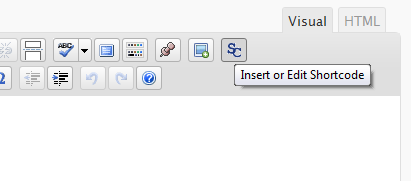
The button in TinyMCE toolbar. 
The dialog window.
Instalación
- Upload the entire folder
shortcode-editorto the/wp-content/plugins/directory - Activate the plugin through the ‘Plugins’ menu in WordPress
- Search for the [SC] button in TinyMCE toolbar
Preguntas frecuentes
- There are other plugins that adds buttons to manipulate shortcodes. Is this a problem?
-
Some plugins that work with shortcodes adds their own buttons to TinyMCE and we try to respect it, using a lower priority when adding the TinyMCE hooks.
- When editing, we can see the`sc_id` property in all shortcodes. What is this?
-
This property is used internally by the plugin and it is removed from all shortcodes when you submit the form.
Reseñas
There are no reviews for this plugin.
Colaboradores y desarrolladores
“TinyMCE Generic WP Shortcode Editor” es un software de código abierto. Las siguientes personas han colaborado con este plugin.
Colaboradores
Traduce “TinyMCE Generic WP Shortcode Editor” a tu idioma.
¿Interesado en el desarrollo?
Revise el código , eche un vistazo al repositorio SVN , o suscríbase al log de desarrollo por RSS .
Registro de cambios
1.0
First release.