
Descripción
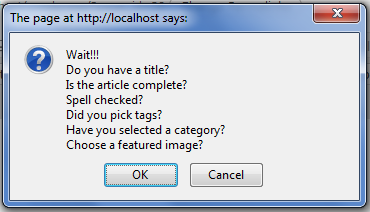
Have you ever been in situation where you publish post. But displayed in wrong location due to forgot setting the right tags / categories.
Or, broken blog layout because of forgot to setting featured images.
Don’t worry, this plugin will help you remember that. You could also set custom warning messages to your like.
Capturas


Instalación
- Upload
crpostwarningdirectory to the/wp-content/plugins/directory - Activate the plugin through the ‘Plugins’ menu in WordPress
- Go to Settings »
[CR]Post Warningand set your warning messages
Preguntas frecuentes
- What is the minimum PHP requirement?
-
For the plugin itself, PHP4 and JAVASCRIPT activated. Right, you need javascript to be able to use this plugin.
Reseñas
There are no reviews for this plugin.
Colaboradores y desarrolladores
“[CR]PostWarning” es un software de código abierto. Las siguientes personas han colaborado con este plugin.
Colaboradores
Traduce “[CR]PostWarning” a tu idioma.
¿Interesado en el desarrollo?
Revise el código , eche un vistazo al repositorio SVN , o suscríbase al log de desarrollo por RSS .