

Descripción
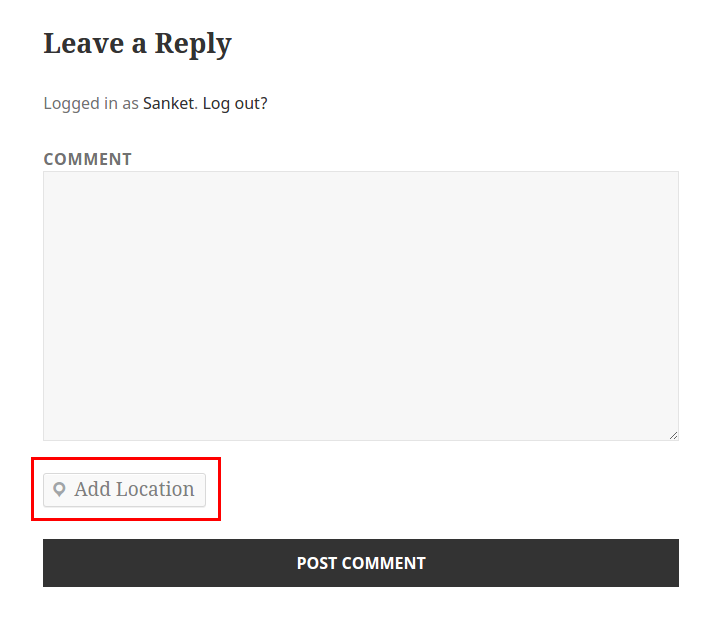
Do you want to share any location? ShareWhere plugin shares the location you want.
You just have to select location in google map and insert that location into post/page.
Roadmap
- Share location in BuddyPress Comments
- Share location in bbPress Forums
- include map instead of location name
Capturas



Instalación
From your WordPress dashboard
- Visit ‘Plugins > Add New’
- Search for ‘ShareWhere’
- Activate ShareWhere from your Plugins page.
From WordPress.org
- Download ShareWhere.
- Upload the ‘sharewhere’ directory to your ‘/wp-content/plugins/’ directory, using your favorite method (ftp, sftp, scp, etc…)
- Activate ShareWhere from your Plugins page.
Preguntas frecuentes
- Can I use my existing WordPress theme?
-
Yes! ShareWhere works out-of-the-box with nearly every WordPress theme.
Reseñas

3 de septiembre de 2016
1 reply
Great work guys love it.

8 de Febrero de 2017
Nice Plugin ! I like it, Great work Guys 🙂
Colaboradores y desarrolladores
“ShareWhere” es un software de código abierto. Las siguientes personas han colaborado con este plugin.
Colaboradores


Traduce “ShareWhere” a tu idioma.
¿Interesado en el desarrollo?
Revise el código , eche un vistazo al repositorio SVN , o suscríbase al log de desarrollo por RSS .
Registro de cambios
1.2 – Oct 30, 2015
- Add Location in BuddyPress Activity
1.1 – Aug 31, 2015
- Add Location in WordPress Comment
1.0.1 – Aug 20, 2015
- Removed unwanted code
1.0 – Aug 20, 2015
- Inital Release
- Share location using google map in post/page
- Added Readme