
Descripción
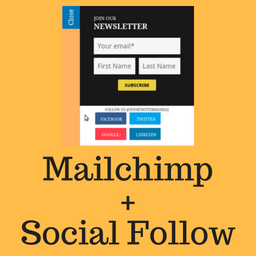
Social Subscribe Box helps you in acquiring new users for your Mailchimp newsletter.
It provides a nice looking slide out box which you can use to ask your visitors to subscribe for your newsletter.
Social Subscribe Box also helps you let your users follow you on Twitter, facebook, Linkedin.
The plugin will be suitable for you if you are looking for:-
- Lightweight mailchimp newsletter subscription plugin.
- Optionally, show the follow buttons for facebook, twitter, linkedin.
We created this plugin for our very own use. It is used live on BuddyDev.com.
credit
This project uses following opensource projects:-
- jQuery Tab Slideout
- Mailchimp API
- [jQuery Cookie] (https://https://github.com/carhartl/jquery-cookie)
- [Twemoji] (https://github.com/twitter/twemoji) – icons.
Share your feedback on our blog post
For support, Please use BuddyDev Forums.
Documentation: Configuring
Capturas


Instalación
- Download the plugin and unzip it
- Upload the plugin files to the directory ‘social-subscribe-box’ to `/wp-content/plugins/ directory, or install the plugin through the WordPress plugins screen directly.
- Activate the plugin through the ‘Plugins’ screen in WordPress
- Use the Settings->Social Subscribe Box to configure the plugin
- Use Appearance->Customize->Social Subscribe Box to customize the appearance.
Reseñas
There are no reviews for this plugin.
Colaboradores y desarrolladores
“Social Subscribe Box” es un software de código abierto. Las siguientes personas han colaborado con este plugin.
Colaboradores


Traduce “Social Subscribe Box” a tu idioma.
¿Interesado en el desarrollo?
Revise el código , eche un vistazo al repositorio SVN , o suscríbase al log de desarrollo por RSS .
Registro de cambios
1.0.0
- Initial release.