

Descripción
Instantly publish approved Tempesta Media content to your website with a single click. Quickly and easily connect your website.
Capturas
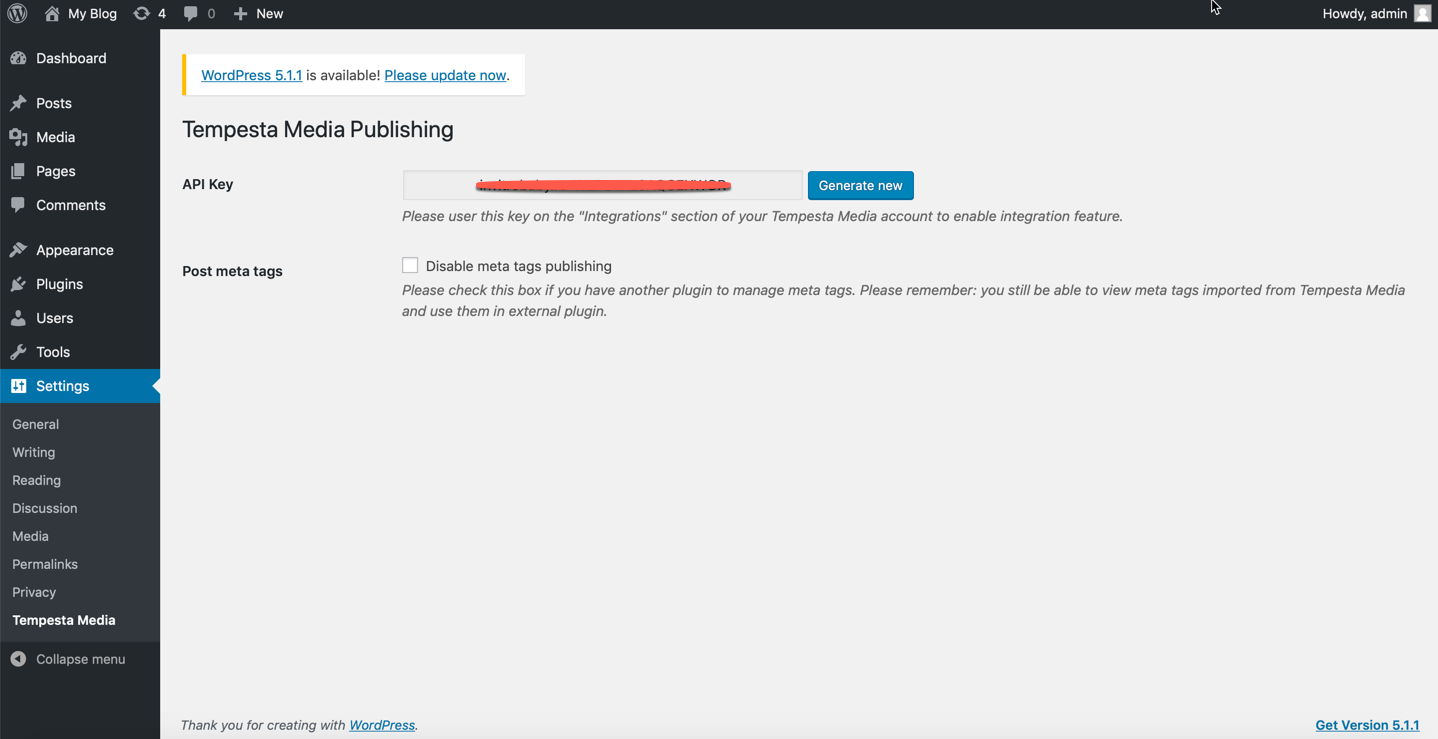
Here you will get your API key 
Tempesta Media WordPress Integration page\
Instalación
The easiest way to install this plugin is to use the WordPress Admin interface.
1. Go to your admin dashboard
2. Find the “Plugins” menu
3. Click on “Add New”
4. Search for “Tempesta Media”
5. Click “Install Now”
6. Go to your “Plugins” menu
7. Click “Activate” on the Tempesta Media for WordPress plugin
8. Copy the auto-generated API key
9. Paste the auto-generated API key into your Tempesta Media WordPress Integration, as found within your account (see
below)
Your WordPress site and Tempesta Media account will be connected and you’re ready to get started with publishing approved content to your website. Please note, all content published to your website will appear as a draft within the “Posts” area of your website.
Preguntas frecuentes
-
Any troubles?
-
Please contact your Tempesta Media Partner Manager, from within your Tempesta Media account.
Reseñas
There are no reviews for this plugin.
Colaboradores y desarrolladores
“Tempesta Media Publishing” es un software de código abierto. Las siguientes personas han colaborado con este plugin.
Colaboradores
Traduce “Tempesta Media Publishing” a tu idioma.
¿Interesado en el desarrollo?
Revise el código , eche un vistazo al repositorio SVN , o suscríbase al log de desarrollo por RSS .
Registro de cambios
1.0.1
- Added automatic disabling of meta tags if other SEO plugins (Rant Math SEO, Yoast SEO) are present
1.0.0
- Initial Release