Saltar al contenido
WordPress.org

Español (Costa Rica)

  • Temas
  • Plugins
  • Acerca de
  • Accessibility
  • Patterns
  • Contribuye a WordPress desde Costa Rica
  • Equipo
  • Consigue WordPress
Consigue WordPress
WordPress.org

Plugin Directory

WP ShareX

  • Submit a plugin
  • My favorites
  • Log in
  • Submit a plugin
  • My favorites
  • Log in

This plugin hasn’t been tested with the latest 3 major releases of WordPress. It may no longer be maintained or supported and may have compatibility issues when used with more recent versions of WordPress.

WP ShareX

Por joomdev
Descargar
  • Detalles
  • Valoraciones
  • Instalación
  • Desarrollo
Soporte

Descripción

WP ShareX is an advanced WordPress Social Share plugin enables you to add social share buttons on Posts and pages. You can assign buttons on Top of the Content, Bottom of the Content, Sidebar and on media.

Features of WP Social Share by JoomDev
1. 24 Social Network
2. You have the option to select either Icons or Icons with Text
3. 3 Button Shapes
4. 4 Button Animations
5. URL Shortening Option with Bitly and Goo.gl
6. Embed Twitter Handle and desired tags with Tweet
7. 4 Button display Location e.i. Top of the Content, Bottom of the content, Media, and Sidebar
8. Hide On Mobile Ability
9. Default Share Count Option. (You can play with your user’s mind)
10. Encourage your Audience to share your content with Share Incentive Feature

Capturas
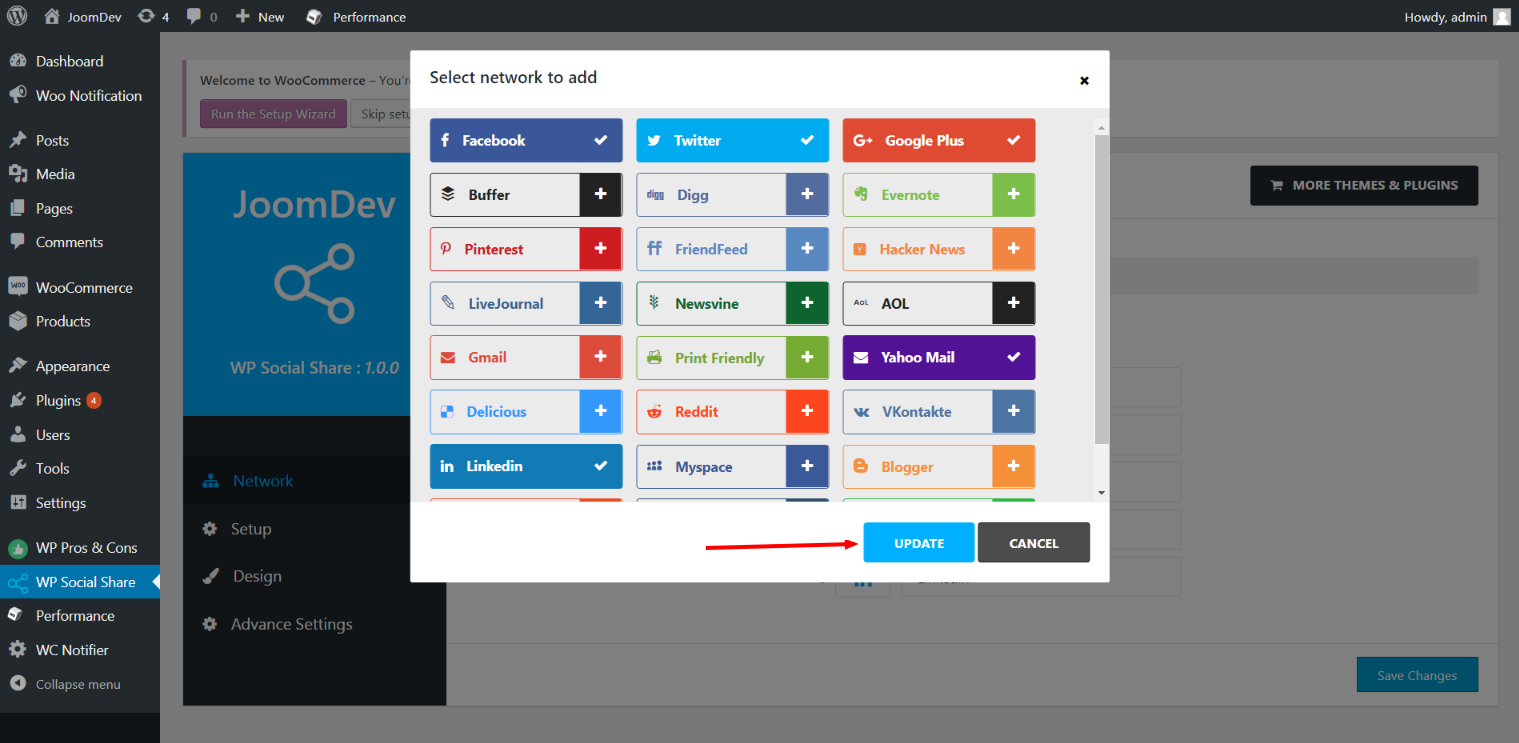
Click here to select networks
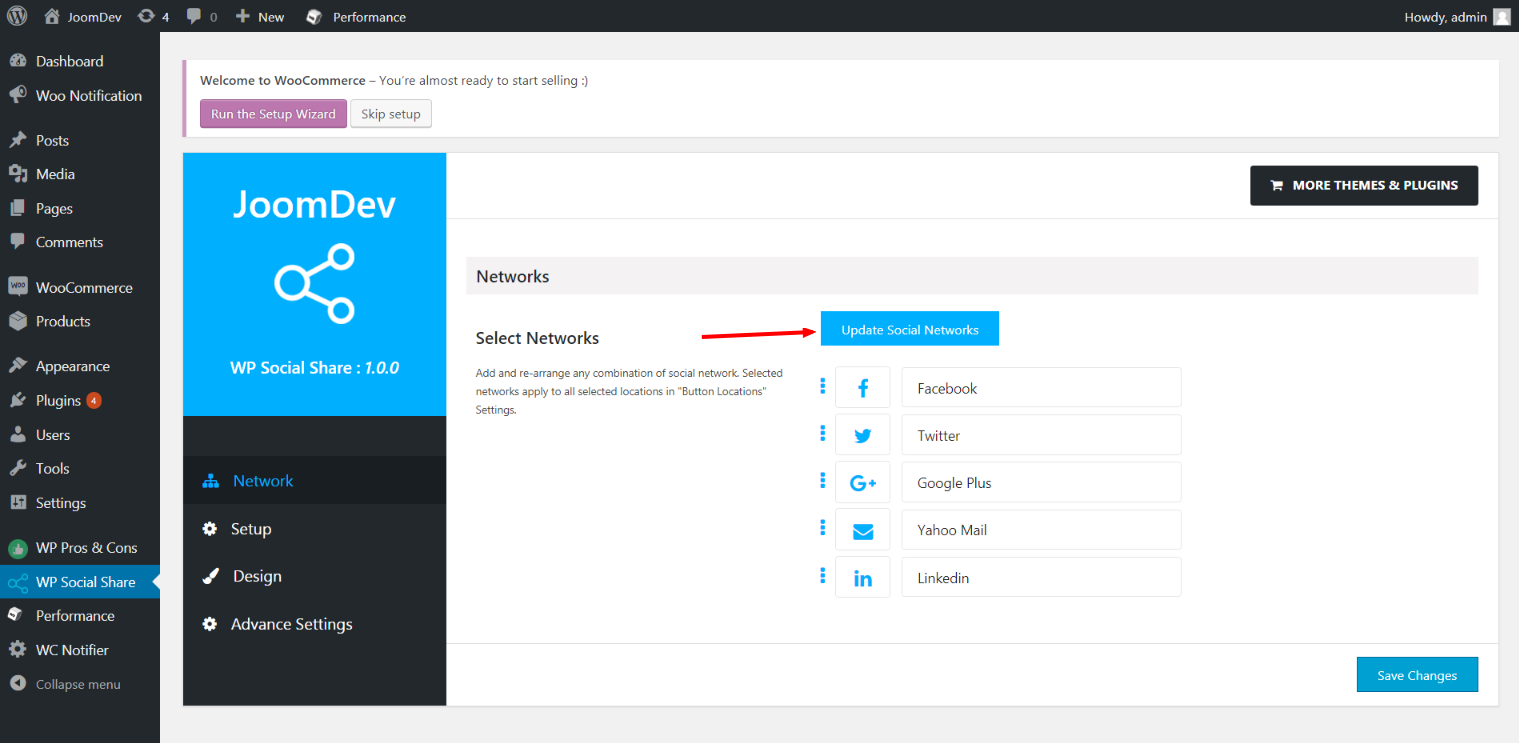
Update networks after selecting them.
Setup plugin and api settings.
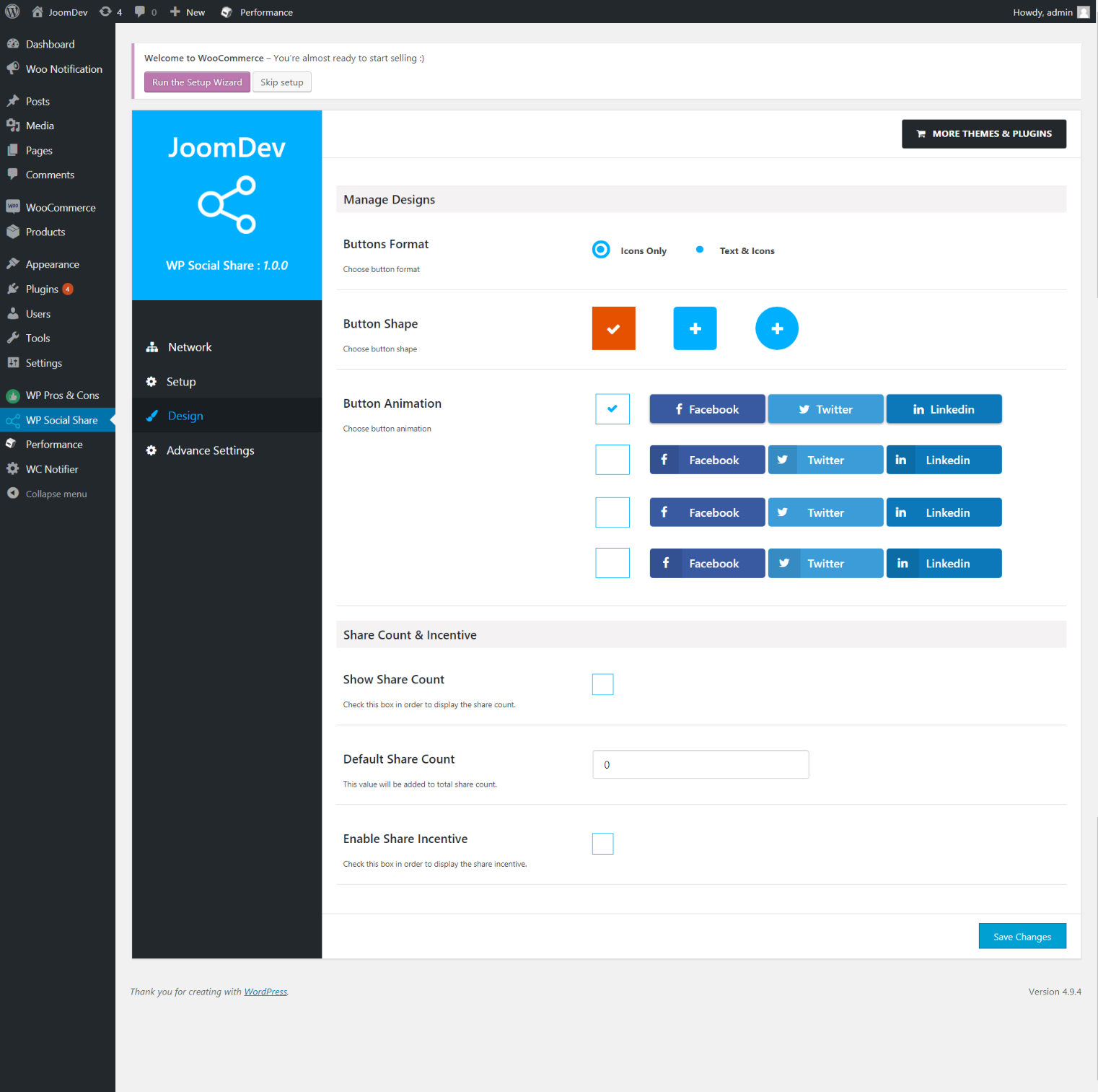
Select any design to display the buttons.
For mobile
For mobile

Instalación

Way 1: 1. Upload joomdev-wp-social-share.zip to the /wp-content/plugins/ directory 2. Extract the zip file. 3. Activate the plugin from wordpress plugins page. And you have done.

Way 2: 1. Go to plugins page in admin. 2. Click on Add New button. 3. Search for “WP ShareX”. 4. Click install on WP Social Share. 5. Activate the plugin.

Preguntas frecuentes

Installation Instructions

Way 1:
1. Upload joomdev-wp-social-share.zip to the /wp-content/plugins/ directory
2. Extract the zip file.
3. Activate the plugin from wordpress plugins page. And you have done.

Way 2:
1. Go to plugins page in admin.
2. Click on Add New button.
3. Search for “WP ShareX”.
4. Click install on WP Social Share.
5. Activate the plugin.

How do I use this plugin?

See description.

Reseñas

Excellent!

Arnab Mohapatra 16 de Marzo de 2018 1 reply
Incredible plugin. It allows to add any sharing button on the page simply and fast!
Leer la 1 reseña

Colaboradores y desarrolladores

“WP ShareX” es un software de código abierto. Las siguientes personas han colaborado con este plugin.

Colaboradores
  • joomdev

Traduce “WP ShareX” a tu idioma.

¿Interesado en el desarrollo?

Revise el código , eche un vistazo al repositorio SVN , o suscríbase al log de desarrollo por RSS .

Registro de cambios

1.0.0

  • New Plugin initialized.

Meta

  • Version 1.0.0
  • Last updated hace 8 años
  • Active installations 10+
  • WordPress version 3.0 or higher
  • Tested up to 4.9.29
  • Language
    English (US)
  • Tags
    sharesocialsocial share
  • Vista avanzada

Valoraciones

5 out of 5 stars.
  • 1 5-star review 5 stars 1
  • 0 4-star reviews 4 stars 0
  • 0 3-star reviews 3 stars 0
  • 0 2-star reviews 2 stars 0
  • 0 1-star reviews 1 star 0

Your review

See all reviews

Colaboradores

  • joomdev

Soporte

¿Tienes algo que decir? ¿Necesitas ayuda?

Ver el foro de soporte

Donar

¿Le gustaría apoyar con el progreso de este plugin?

Done a este plugin

  • Acerca de
  • Noticias
  • Hosting
  • Privacidad
  • Escaparate
  • Temas
  • Plugins
  • Patrones
  • Aprender
  • Soporte
  • Desarrolladores
  • WordPress.TV
  • Involúcrate
  • Events
  • Donar
  • Five for the Future
  • WordPress.com
  • Matt
  • bbPress
  • BuddyPress
WordPress.org
WordPress.org

Español (Costa Rica)

  • Visit our X (formerly Twitter) account
  • Visit our Bluesky account
  • Visita nuestra cuenta de Twitter
  • Visit our Threads account
  • Visita nuestra página de Facebook
  • Visite nuestra cuenta de Instagram
  • Visit our LinkedIn account
  • Visit our TikTok account
  • Visit our YouTube channel
  • Visit our Tumblr account
El código es poesía.
The WordPress® trademark is the intellectual property of the WordPress Foundation.